iClipboard 5.0.0
13.12.2014

Программа iClipboard запоминает все файлы, которые вы помещали в буфер обмена. Теперь вам не нужно будет вспоминать, что вы внесли в буфер обмена в последний раз, вам больше не прийдтся несколько раз открывать один итот же документ для того, что бы скопировать какой то файл. Отныне вы можете сразу скопировать в буфер обмена все нужные вам данные, а потом по очереди вставлять их. Причем разработчики утверждают, что сделать это можно аж пятью разными способами.
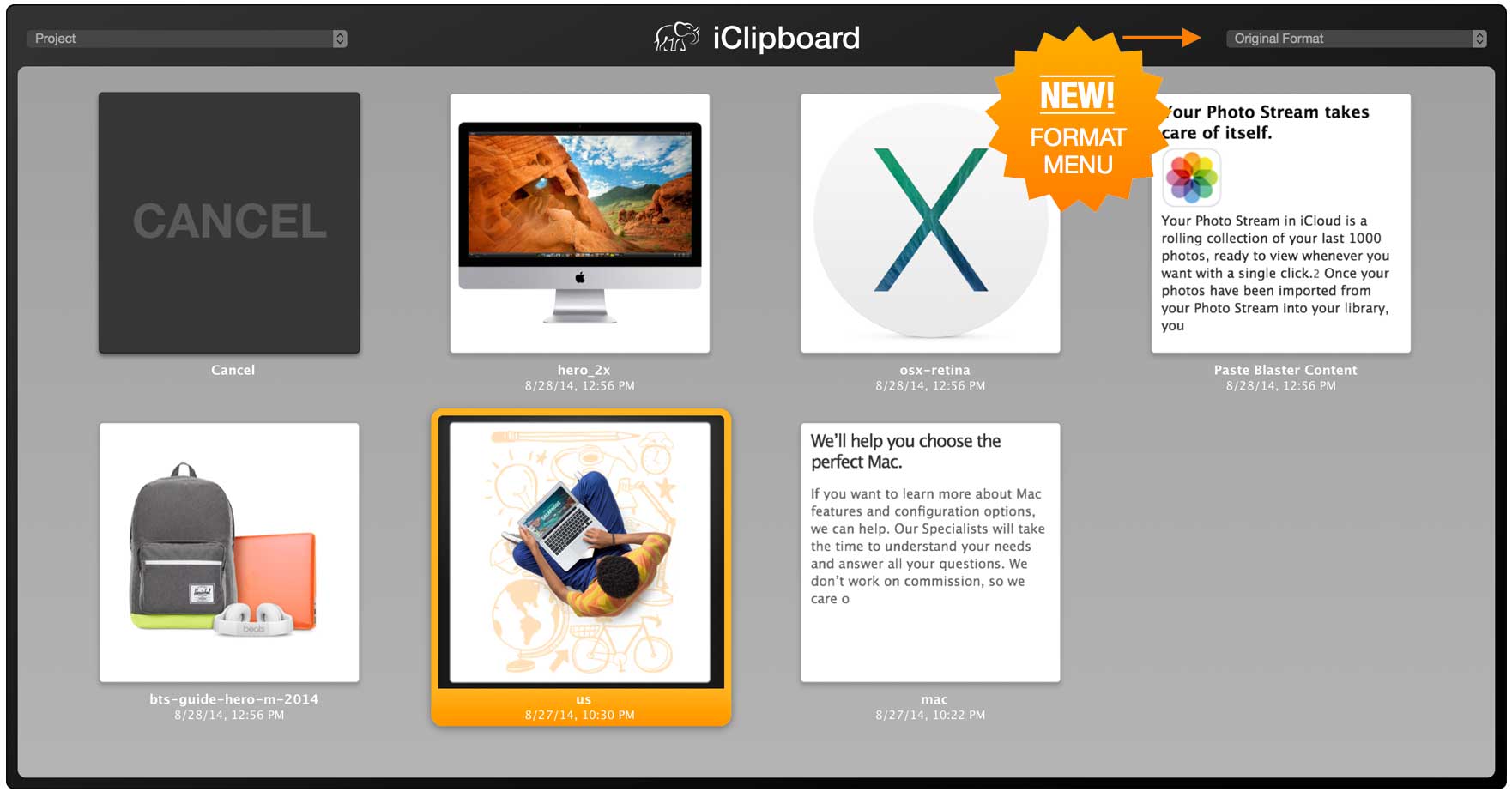
iClipboard automatically keeps a history of everything you copy to the clipboard from any application. You can then paste any clipping from the history five different ways:
- the Shelf on the side of the screen
- the special menu in the menu bar
- the Rapid-Fire hot key
- the Services menu
- the ALL-NEW Paste Blaster

Что нового в версии 5.0
- NEW! Redsigned "flat" style interface
- NEW! Retina compatible
- NEW! Choose text formats directly from the Paste Blaster
- NEW! Click to paste clippings in the Paste Blaster
- NEW! Special formats for pasting text: Uppercase, Lowercase, Capitalized Words, Whitespace Removed, New Lines Removed, Tabs Converted to Spaces
- NEW! Option to clear clippings in Unfiled project when quitting for security/privacy purposes
- NEW! Font bar when editing clippings for complete control
Разработчик:
Похожие новости
- Хакер №10 (октябрь 2014)
- AKVIS Sketch 20.0
- Magnetola 1.0.6
- Wi-Fi Speed Test 2.1.1
- Disk Cleaner 1.6
- DMG Canvas 2.4.1
- Internet Radio 1.5 для Mac
- iExplorer 4.2.8
- FontExplorer X Pro 6.0.4
- MyPhotostream 1.1.3
- Airfoil 4.7.1
- SmartMemoryCleaner 1.1
- Sketch 2.3.1 - редактор векторной графики для Mac
- Piezo 1.5.11
- xPlan 3.8 - управления проектами
- Education Templates (for Pages) 2.0
- Хакер №6 (июнь 2016)
- Toast Titanium Pro 12.1
- JustBroadcaster for Facebook 2.1.1
- Expert Bundle - Templates for MS Office 3.1