CollageIt Pro 2.1.3 для Mac OS X
01.08.2012
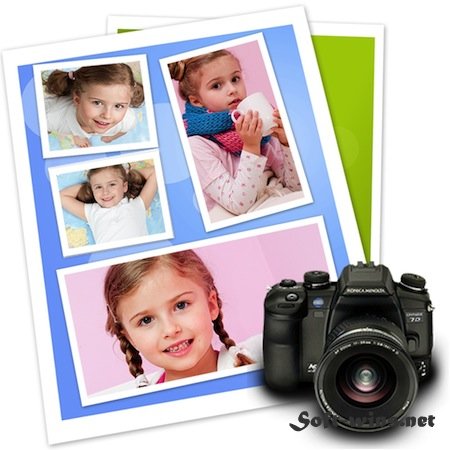
CollageIt для Mac OS X– очень простая в использовании, дружелюбная к пользователям программа для автоматического создания коллажей. Все, что вам нужно – это выбрать изображения, а дальше можно уже ничего не делать – CollageIt самостоятельно разместит их так, чтобы все были видны, создав коллаж всего в три клика. Можно подредактировать положение изображений – изменить между ними расстояния, хаотически чуть наклонить их, добавить тень (ее глубина меняется), рамки (ширина меняется), хаотически разбросать изображения по всему полю, чтобы казалось, что изображения расположены случайным образом. В итоге, за несколько секунд настроек получается вполне достойный коллаж. Если вы создали какое-то расположение картинок, которое вам понравилось, и хотите его использовать в дальнейшем, то можете сохранить это положение с настройками в виде отдельнойго файла предустановок. В дальнейшем можно будет просто загружать сохраненный вами вид коллажа из этого файла, как из шаблона.

Особенности программы :
- Удобный трехшаговый мастер
- Коллажи до 100 фотографий
- Предварительный просмотр
- Изменение параметров: количество фото, пространства, рамки, тени, поля страницы, размер страницы и т.д.
- Сохраните коллаж в распространенные форматы изображений, такие как BMP, JPEG, PNG, TGA, TIF и т.д
Доп. информация:

★ Automatic, Easy to Use and Powerful
• Only three steps you’ll create photo collage automatically. Easy enough for all users of all experienced levels.
• Realtime preview with a super speed and create the collage in a few seconds.
• The large photo capacity allows you to create collages from just a handful of photos or using up to 200 photos.
• Supports large scale collage and the collage size can be reached A1 size and even larger.
★ Various Templates to Choose
• Supports 4 collage styles including Mosaic, Grid, Center and Pile.
• Includes 30+ templates in total.
• The templates cover almost all kinds of collage styles, letting the user select a style and add their photos.
★ Customize Photo Collages Freely
• Customize the page size and collage background to suit your needs.
• Easily customize the collage layout with variable parameters like photo count, photo space, page margin, rotation and sparse.
• Photo border and shadow added for decoration.
• Crop photo is available so that the photos in the collage can fit well into the chosen collage space.
• Various collage layouts can be continuously generated using the Random Layout function
★ Share the Collage Anywhere
• Save the collages as JPEG, TIFF, BMP, PNG, GIF, etc. image formats and print it out.
• Send the collage to family members and friends via Email.
• Easily set your photo collage as your desktop wallpaper.
• Save the collage as a PDF file.
• Only three steps you’ll create photo collage automatically. Easy enough for all users of all experienced levels.
• Realtime preview with a super speed and create the collage in a few seconds.
• The large photo capacity allows you to create collages from just a handful of photos or using up to 200 photos.
• Supports large scale collage and the collage size can be reached A1 size and even larger.
★ Various Templates to Choose
• Supports 4 collage styles including Mosaic, Grid, Center and Pile.
• Includes 30+ templates in total.
• The templates cover almost all kinds of collage styles, letting the user select a style and add their photos.
★ Customize Photo Collages Freely
• Customize the page size and collage background to suit your needs.
• Easily customize the collage layout with variable parameters like photo count, photo space, page margin, rotation and sparse.
• Photo border and shadow added for decoration.
• Crop photo is available so that the photos in the collage can fit well into the chosen collage space.
• Various collage layouts can be continuously generated using the Random Layout function
★ Share the Collage Anywhere
• Save the collages as JPEG, TIFF, BMP, PNG, GIF, etc. image formats and print it out.
• Send the collage to family members and friends via Email.
• Easily set your photo collage as your desktop wallpaper.
• Save the collage as a PDF file.
Системные требования: Mac OS X 10.6 +
Язык интерфейса: английский
Похожие новости
- Business Card Composer 5.2
- Tower 2.6.6 - мощный Git клиент для Mac
- USB Network Gate 4.1
- Set for MS Office 1.4
- Хакер №3 (193) (март 2015)
- TeamViewer 6.0 для Mac OS
- Wizard of Legend (2018)
- Window Tidy 2.1.5
- Pro Paint 3.6.0
- Starbound 1.3.1
- Smaller 1.4
- WebStorm v2017.3.5
- Factorio для Mac (2013)
- Adobe Audition CC 2018 v11.1.0
- Видеокурс «Linux Администрирование и конфигурирование» (2014)
- while True: learn() (2018)
- AirVLC 1.1.0 - cредство запуска AirPlay для VLC
- Mirror for Philips TV 2.5
- PSD Cleaner 1.0.2
- Прибыльный интернет магазин на Joomla плюс Joomlakassa (2016)